
We all know how fast-paced social media is nowadays, so how can we keep up with the speed whilst producing clear and effective stories and posts with templates? If what you need are simple and easy-to-use tools that produce quality content for templates, infographics and much more then look no further. Here at Interhacktives we’ve compiled a list of our favourite websites..
1. Visme
Visme is a data presentation and visualisation platform enabling users to create their own content, transforming their work into presentations and infographics. What makes Visme so great is that the site allows users to collaborate, meaning individuals and teams can develop new projects together. Want more great news? There is a free subscription for individuals users meaning you create up to 5 projects completely free! To check out all their fun and informative templates, including charts, graphs, flyers, menus and more here.
2. Canva
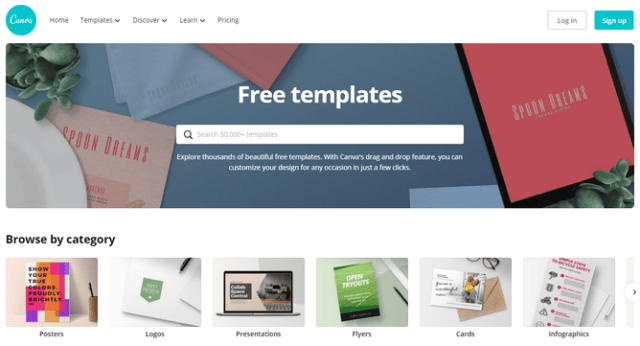
Canva is a graphic design site that allows users to create social media graphics, presentations, posters and more. The site offers thousands of images, fonts, templates and illustrations on their free subscription. Using Canva allows users to create their own simple, stylish designs of anything from infographics to posters. The site also offers online courses and tutorials to help you nail social media use, graphic design basics and how to brand your business amongst others. Super useful for anyone wanting to create their own website or portfolio from scratch! Check out Canva here.
3. Piktochart
Piktochart allows users without advanced experience as graphic designers to create infographics and visuals using pre-made, themed templates. This site, which also offers hundreds of templates and graphics for free, is particularly useful for beginners who are looking for an easy site to create their own branding. According to their homepage stats, posts with images on Facebook receive 37% higher engagement rate and 150% more retweets on Twitter, so, if you’re looking for that higher engagement rate then make sure you check out Piktochart’s visuals here.

4. Crello
Crello is a graphic and video design tool for making professional-looking designs easily. With a large selection of ready-made templates at your disposal, you can create designs from scratch using stylish features. Crello is especially useful if you need to use templates for social media; the site covers all social media sites including visuals for TikTok, Tumblr and Pinterest amongst others. This easy to use to site has a free subscription model..bonus! Check it out here.

5. Venngage
You can create your very own version of Joey Coupons with Venngage…where do we sign up?! And it’s not just coupons you can create, oh no, there are also options for certificate makers, road maps and proposals. Obsessed. You can access 5 free templates then after that it’s $49 (£37) a month for full access to all features and templates. Find out more here.

6. easel.ly
easel.ly boasts an easy 3 step process to create your perfect visuals through their platform. First, simply pick a template, then customise it from their range of images, graphics, icons, illustrations and finally, export your infographic instantly. Easy. This site is perfect if you want to watch your traffic grow and create more shares for your platform. Want some even better news? easel.ly are currently offering 50% off for students, access their full library of templates for just $2! Sign up here.

1 thought on “Tools, Templates and Tackling the speed of social media”