So, we all know how to use Twitter but how do we know whether anything we’re doing is being seen by anyone? And what do you do if you’ve been mindlessly using it for months with no actual strategy?
Twitter doesn’t have it’s own analytics service but it probably will in the not too distant future. Until then, there are a LOT of tools to analyse your tweets, your friends tweets, your dogs tweets.. You get the picture.
Twitonomy
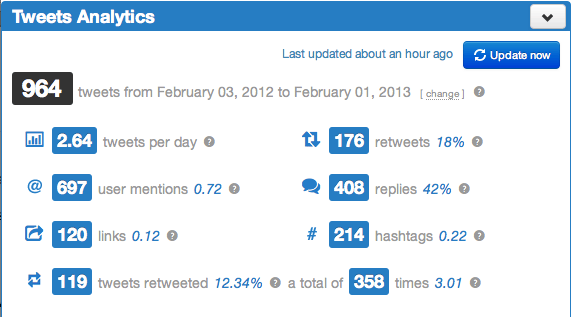
Twitonomy is pretty cool. It gives you a nice little dashboard that looks like this:
And then it turns all that info into a downloadable chart for you like this:
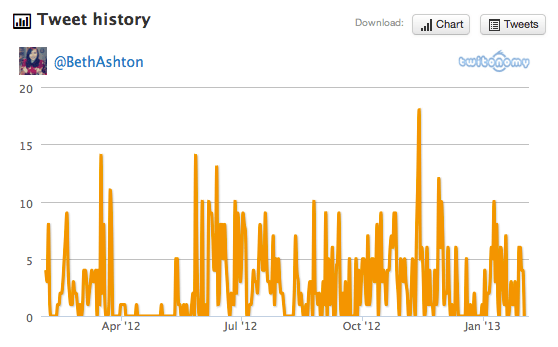
So you can see those days were you were completely overbearing.
It also shows you what day you most tweet on and at what time like this:
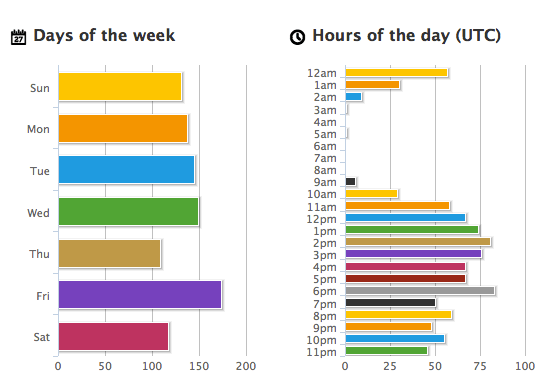
Funky colours aside, though, Twitonomy is interesting but it’s not particularly useful. It’s begging for a time of day vs. more interactions and responses graph that would catapult it into the ‘must have’ category.
Tweetstats
Tweetstats does a lot of what Twitonomy does really. It graphs your time of day, who you retweet the most, who you reply to and so on. It can be a bit of a wait but it is worth it to see this:

Tweet density, when combined with something that shows when most of your users are active like Tweroid, could help a business get a real handle of when the best time to tweet is and whether you’re hitting the mark.
Again though, this is probably more adept at finding out about how someone else uses Twitter rather than yourself.
Twtrland
Twitterland is seriously cool. It gives you some pretty interesting information like a percentage of male to female followers: 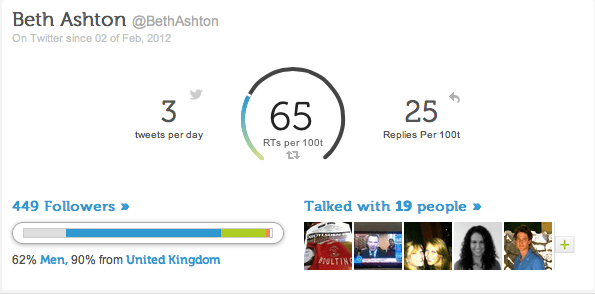
And if you look to the bottom right you can click through to find a list of people who you’ve had two-way conversations with. I mean, I don’t want to name drop or anything but here are some of mine:
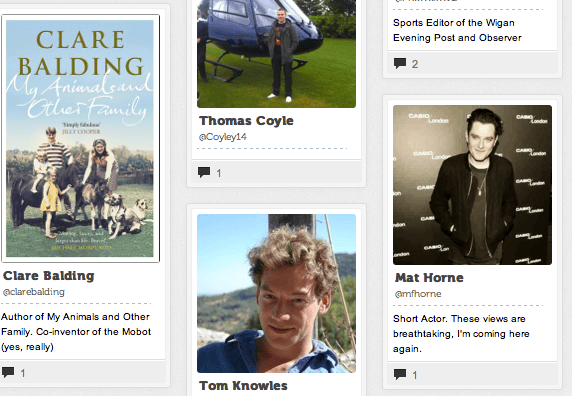
That bar in the bottom left shows the type of people you interact with in three sections. The grey is ‘novice’, blue is ‘casual’, green is ‘power users’ and orange is ‘celebrities’. It also shows your ‘famous words’ which are things you said that people retweeted the most, what an ego boost!
By Beth Ashton
This is seriously awesome…especially the last one. I’m going to check these out over the weekend. Thanks Beth :).
Thanks Jess! Yeah the last one is cool, if only we were internet literate we could combine all three and tweroid and make the perfect tool!
Twitter Analytics can be accessed by Advertisers [https://business.twitter.com/en/advertise/analytics/]
but it doesn’t seem to be released more widely yet, despite the promise in this 2011 post.
What’s happened to it? [Wired 2012]
Might be worth someone following up with Twitter, for another post …
Twtrland is fun – and really useful seeing your Twitter activity set out like that.
Very handy, going to check out the last one now!